Mechanical CAD & Sheet Metal Layouts

BricsCAD Mechanical

Intelligent mechanical part design, precise sheet metal bends, kinematic motion checks, and standard parts libraries built entirely in familiar DWG.

Manufacturing & Detailing

Model Assemblies Parametrically

BricsCAD Mechanical delivers high-performance 3D sheet metal drafting and manufacturing documentation without structural bottlenecks. Design complex assemblies, edit sheet metals with automatic lofted bend calculations, and check clearances with motion tests.

With access to 30,000+ standard mechanical parts (screws, bolts, gears, flanges), your design teams can compile bills of materials (BOM), automate exploded views, and output flat layouts with direct production tolerances.

Key Technical Specifications:

  • Sheet Metal: Create sheet metal parts from solid geometry or sketch profiles with intelligent unfold bends.
  • BOM Tables: Automatic generation of hierarchical, part-list tables with metadata links.
  • Licensing models: Standalone Perpetual keys, network floating nodes, or annual subscriptions.
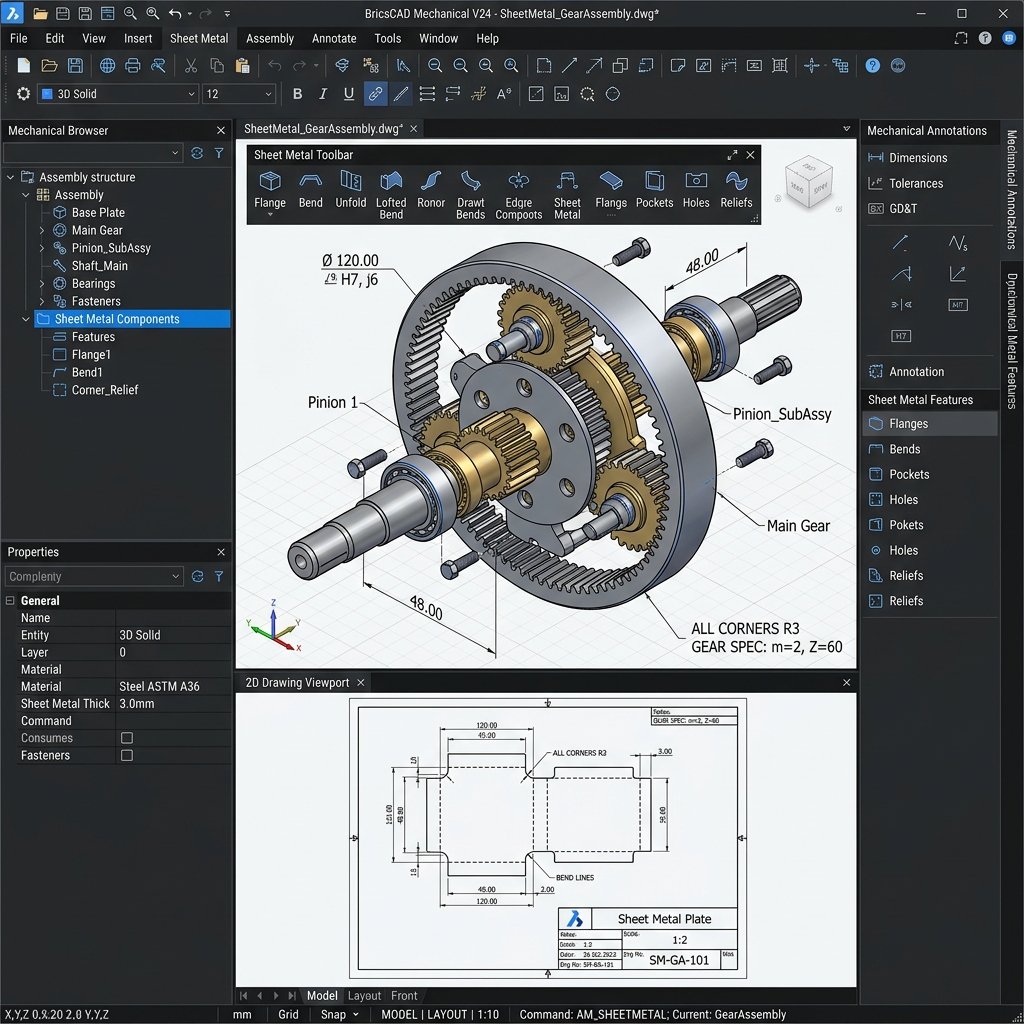
BricsCAD Mechanical 3D Gear Assembly Technical Drawing Mockup UI View
Features list

Why Engineering Teams Choose BricsCAD Mechanical

Design robust parts and sheet metal components with specialized manufacturing tools.

Assembly Modeling

Assemble parts parametrically, check kinematic movement collisions, and organize hierarchical product trees.

Sheet Metal Bends

Import sheet metal designs from external software, edit them parametrically, and calculate unfolded lengths instantly.

BOM Automation

Instantly compile, format, and place parts lists and detailed bills of materials (BOM) in sheet layouts.

Ready to Upgrade to BricsCAD Mechanical?

We provide certified license keys, installation guides, and direct technical setup to get your team drawing without delays.

Request Custom Pricing